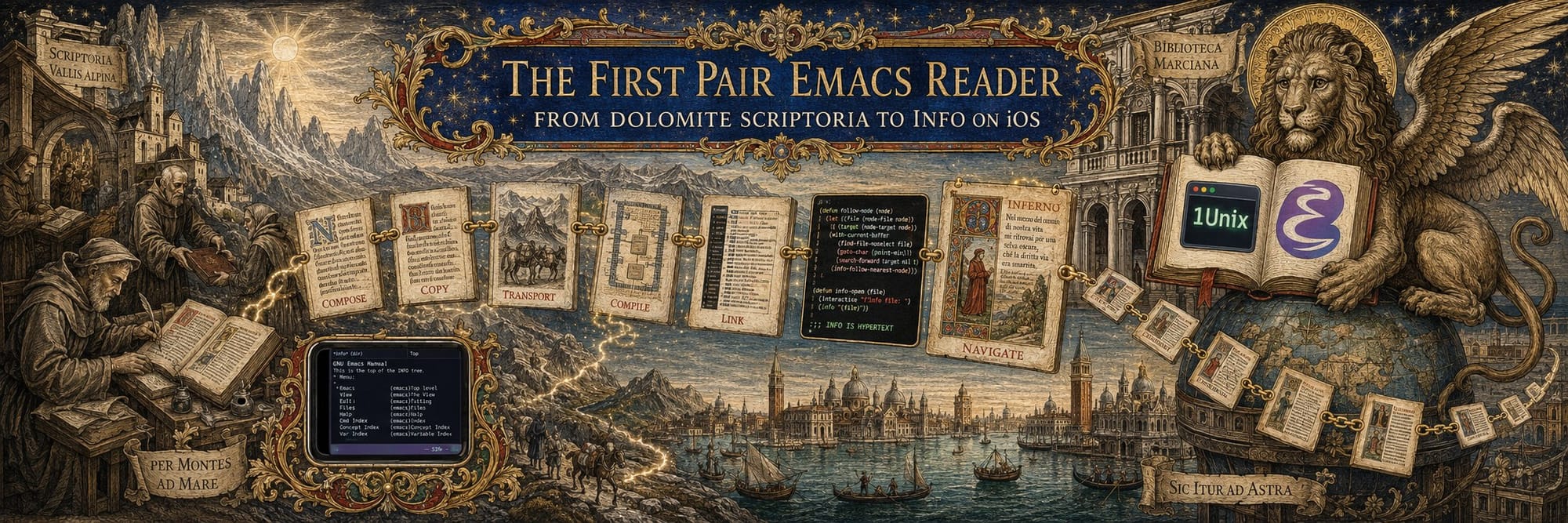
The First Pair Emacs Reader
In August 2026, I visited my PhD committee member Prof. Mark Liberman, who told me a story of how he learned Spanish. With just a month to go, he wrote an Emacs reader that went over a Spanish text and showed a definition of every word from a dictionary loaded into Emacs. This was a time when such digitized artifacts were very hard to come by, and being a Bell Labs pioneer with ties to Dow Jones helped.
It made me think that my Obsidian Vault delivery format could be fully recreated in Emacs Info, the very first hypertext documentation system I was drawn to when setting up my s.emacs and .emacs,v files kept in SCCS and RCS, and then in Subversion and Git, since 1993.
The iOS Emacs is only available under iSH, an Alpine Linux distribution with a terminal. I quickly realized that even after enabling xterm-mouse support, the taps were not getting through, and we forked iSH as 1Unix. While at it, I fixed the gesture pad to just four arrows, added the PragmataPro font I like from Blink, and added settings to show or hide the keyboard and a special Emacs reader navbar that mirrors Emacs's own lower bar. I needed the app navbar until the Emacs one was debugged, and having it is nice as it's app-native. This is probably the very first iOS–emacs-nox integration with text menus working on an iPhone.
What follows is how it came out, in the order the problems came up. The long version, with the Lisp, is The First Pair Emacs Reader Book; the surrounding idea — a book that is a knowledge graph, delivered as a book — is The Graph Book. Links to both are at the end.
Two manuals, three windows
An Info bundle from First Pair is two manuals: the book, and the references the book points at. A citation in the text is an ordinary Info cross-reference into the second manual, and a minor mode over Info-mode makes sure it opens below the text instead of replacing it. Windows are given roles with a window parameter — reader, references, lexicon — and one :around advice on Info-goto-node, armed by a dynamically bound flag only while a reader command runs, sends each node to the window its manual belongs to. Outside those commands Info is untouched.
The Info bytes are written by our own builder rather than by makeinfo, because a reader that underlines words by line and column, hides translations by line range, and — later — permutes blocks of text needs a writer that knows exactly what it wrote. The Texinfo source still ships beside the Info file, and makeinfo compiles it during validation so the two renderings police each other.
A dictionary under every word
Prof. Liberman's Spanish reader had one dictionary. Dante's Commedia wanted several: the Italian analysed into lemmas and forms, English from the English Wiktionary, Russian from the Russian and Italian Wiktionaries and FreeDict, and, where no Russian entry existed, Russian reached through English — the pivot described in The Graph Book, where the dictionaries help each other. Dante's spelling is his own, so the builder tries a short ordered list of restorations — elisions, apocope, old verb endings, the Gutenberg text's diaereses — and records which one succeeded, so the reader can say "apocope of amore" instead of guessing. Absence is reported, never filled by machine translation.
In the reader, every Italian word answers to a tap, or to d, or to RET. The word arrows walk the Italian and never the translations; the double arrows skip a customisable list of articles, prepositions, pronouns and forms of essere and avere, so that stepping through a canto stops at the words worth stopping at. The word currently in the dictionary stays underlined in the poem, so the eye finds its way back.
Translations as state you can see
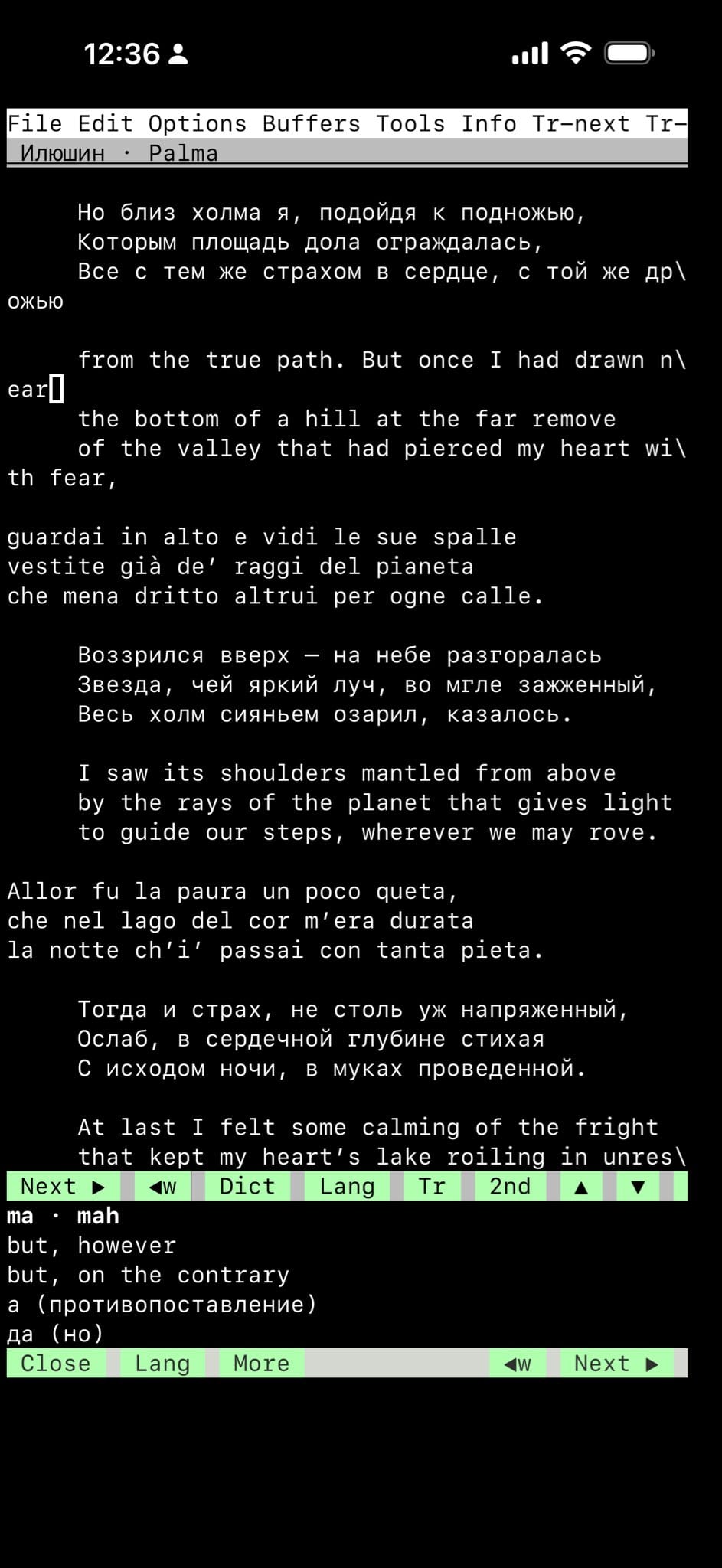
Nothing changed as often as how translations are chosen. It began as a cycle (C-c C-v rotated the translation under point), grew a second slot, and drove me slightly mad on a phone where each press is a two-character button and the echo line is the only feedback. What stuck is small: an ordered list of shown editions per language, and an order of language blocks. The terminal menu bar carries Tr-Eng and Tr-Rus, and every edition is a checkbox — check one to add it beside the others, uncheck to hide it. The row under the menu bar shows what is on screen, EN Longfellow ◀Cary | RU Мин , and it is the control: tap a name to hide it, ◀ to move it earlier, EN or RU to bring that language first. Reordering actually moves the text, tercet by tercet, under invariants that keep the Italian in place.
One button did not fit a toggle model and earned its own meaning. 2nd adds the favourite editions — Michael Palma's English and Alexander Ilyushin's Russian in my study copy — beside whatever is already showing, without touching anything else; holding it strips the screen back down to just those favourites. That is the fastest route between "everything I compare" and "what I study", and it is a single defcustom.
Touch, and what a finger is not
A button in Emacs is a propertized string in the mode line with a local-map. The reader's firstpair-reader--button binds, and the list reads as a list of phone bugs with names: drag-mouse-1 as well as mouse-1, because a finger drifts a cell between press and release; down-mouse-1 claimed and ignored, because the stock mode-line map starts a window resize on the press; double and triple clicks ignored, because two taps maximise the pane and the poem vanishes; the help echo suppressed, because iSH "hovers" on every tap; an inert map on the gaps between buttons; and a resolver that reads the command off the string's own text property when the terminal loses its map. The command runs in the window that was tapped, not the one that has focus — the day that changed, three duplicated bars became one.
The bars themselves follow the thumb. The book's mode line carries page, canto, Top, References, Dict. The lowest bar, on the dictionary, carries Tr< Tr> 2nd Lang at the left and the four word arrows << < > >> flush right, each twice its natural width, because they are pressed a hundred times a canto and a two-column button is a miss one tap in five.
Three things no Lisp could fix. Hiding the keyboard gave the poem the whole screen, and the next tap brought the keyboard straight back, because iOS focus belongs to the app. A terminal menu that opened correctly chose None whatever was tapped — and the decisive test used no reader code at all: File → Quit opened Find File. And a finger that drifted between press and release landed on the button next door, or on the resize handle under it. Those three are why 1Unix exists.
1Unix

1Unix is iSH with a few hundred lines changed in the JavaScript around hterm and in the view controller, a name, an icon, and a bundle identifier so it lives beside stock iSH. It stops trusting the mouse events iOS synthesises from touches — on iPhone they can lose the finger's position — and converts each UITouch directly into hterm's mouse reports, suppressing the synthetic ones at the iframe document, which is where they actually arrive. It emulates DECSET 1003, the all-motion tracking mode Emacs's TTY menus ask for and hterm 1.91 lacks, by sending a movement report at the touch-down cell before the press; that is what made File → Quit quit. And it makes a tap atomic: in that mode it withholds the press until the finger lifts, then emits movement, press and release together at the cell the finger first touched, so drift can no longer move a narrow target. Movement beyond three-quarters of a line is instead a scroll, delivered as wheel steps at the same cell, and the reader binds mouse-4 and mouse-5 locally so the pane under the finger scrolls and nothing else happens.
Keep Keyboard Hidden is a persisted setting: in mouse mode a single-finger tap stays a mouse event and does not raise the keyboard; a two-finger tap asks for it back. The generic part of that change has been offered upstream to iSH.
And the navbar. The native Reader strip sits below the terminal as part of its layout — not an input accessory, so it survives the keyboard hiding — and carries exactly the Emacs dictionary bar's eight controls, sending the eight keys the reader binds: [ ] b t K k j J, with long-press inverses on the first four. From Emacs's side a tap on the native > is indistinguishable from typing j; the app knows eight characters and nothing about translations. Because the two bars mirror each other, Show Dante Reader Bar can be turned off in Settings and the reader loses nothing. Both work. Either can be hidden.
Big books on small machines
The study Dante is 54 MB, and it took minutes to open on the phone for none of the reasons we expected. The book's Info file was 9 MB in one piece, and Emacs reads a whole Info file on first visit; the cure Info has had since the 1980s is indirect files, which makeinfo writes and our builder now writes too — a 5 KB main file and thirty-seven subfiles, and Canto I opens in a blink. The 56,000-row region table now ships with a byte index so a canto reads only its own rows; the forms and gloss tables ship as first-letter shards so a lookup reads one letter. Nothing large before the first page. A table a laptop parses in a second must be assumed to take minutes somewhere else.
Where to get it
- The book, with the Lisp: The First Pair Emacs Reader Book — PDF · EPUB · source at github.com/firstpair/emacs-reader.
- The First Pair library shelf
- The idea it belongs to: The Graph Book — PDF · EPUB.
- The reader itself: the
firstpair-readerpackage at firstpair.org/emacs/, with the handbook, and the Emacs Lisp under a free licence in FirstPair'spublishing/emacs/lisp. - Dante, Italian with the public-domain translations, as Emacs bundles: English and English and Russian, with their guide.
- 1Unix: the
1unix/uibranch of github.com/alexy/ish, with the generic keep-keyboard-hidden change on its own branch and proposed upstream to iSH; builds are signed with a personal profile, so for now it is a build-it-yourself app.
The debt to Mark Liberman's Spanish reader is thirty years old and gladly acknowledged. The rest is Info, which was always good enough, and a phone that finally learned to be touched.
published with omnighost · SHA-256 89621022cdc3779dc9ac9617d6f6f4947ee7e865534e1d062ecc7ec1a6980bc3